
Interview reviews
Every job in the job log has a Review button. Use it to read what other jobwhat users were asked when they interviewed for that job, or to share your own interview afterwards. Reviews are anonymous and tied to the job, not to you.
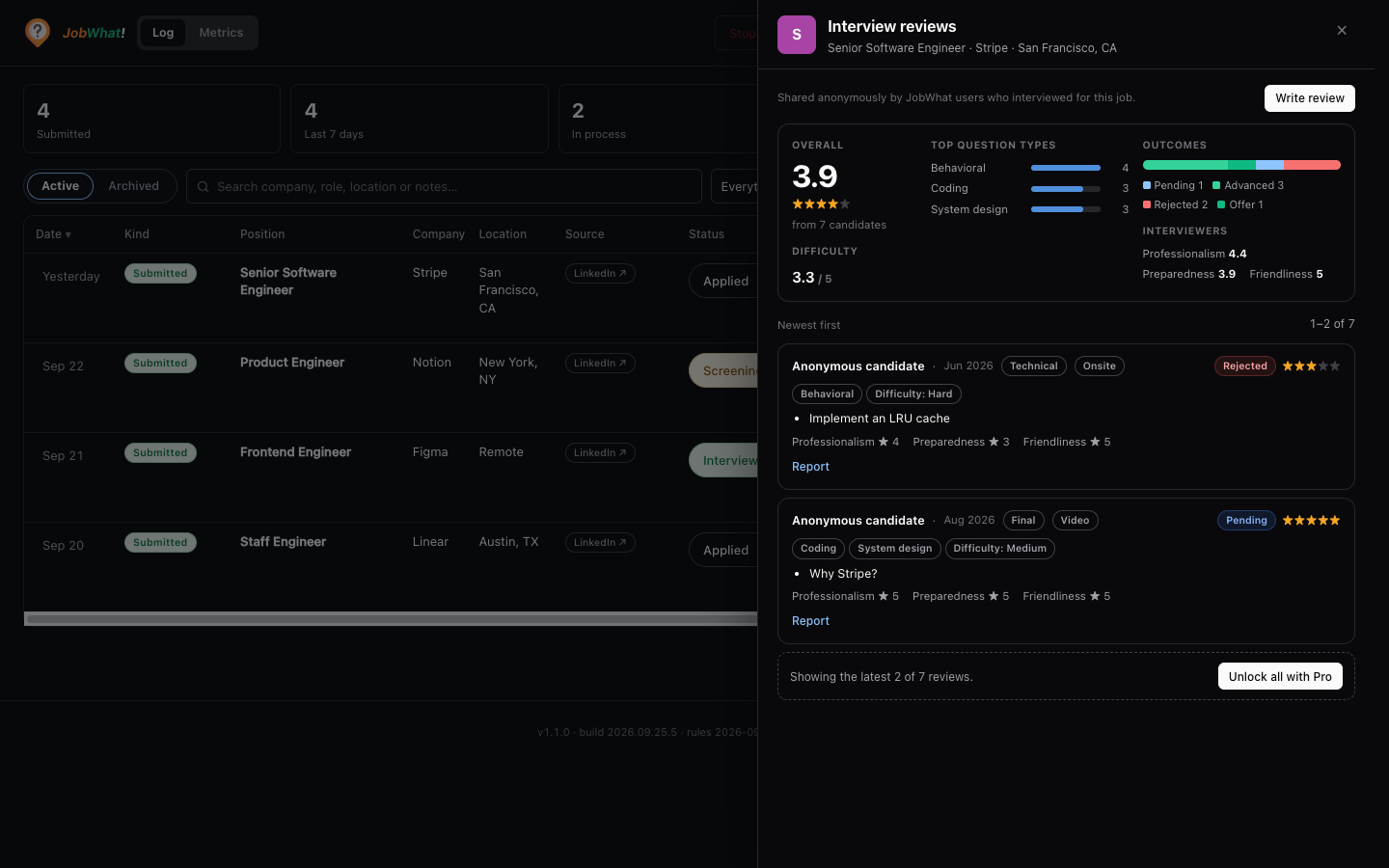
The Review button
The speech-bubble icon sits in the actions column of every table row, next to archive, and at the top right of every swimlane card, next to the archive folder. Hover it and the tooltip reads Write an interview review, plus the number of community reviews and the average rating when there are any.
| What you see | What it means |
|---|---|
| Faded icon, no badge | Nobody has reviewed this job yet. |
| Blue badge with a number | That many people have reviewed this job. |
| Green ✓ | You've reviewed this job. Click to see the reviews or edit yours. |
| Greyed out | The job has no link, company or title to identify it, so it can't be reviewed. |
One click opens a side panel. If the job has reviews, or you've written one, you see the reviews with a Write review (or Edit your review) button at the top. Otherwise the form opens straight away.
Review counts are fetched in one small batch for the jobs on screen and kept for ten minutes. A job is matched by its board job id (LinkedIn, Indeed, Glassdoor, ZipRecruiter, Craigslist, Greenhouse, Lever, Ashby). A job without one is matched by company and title.
Writing a review
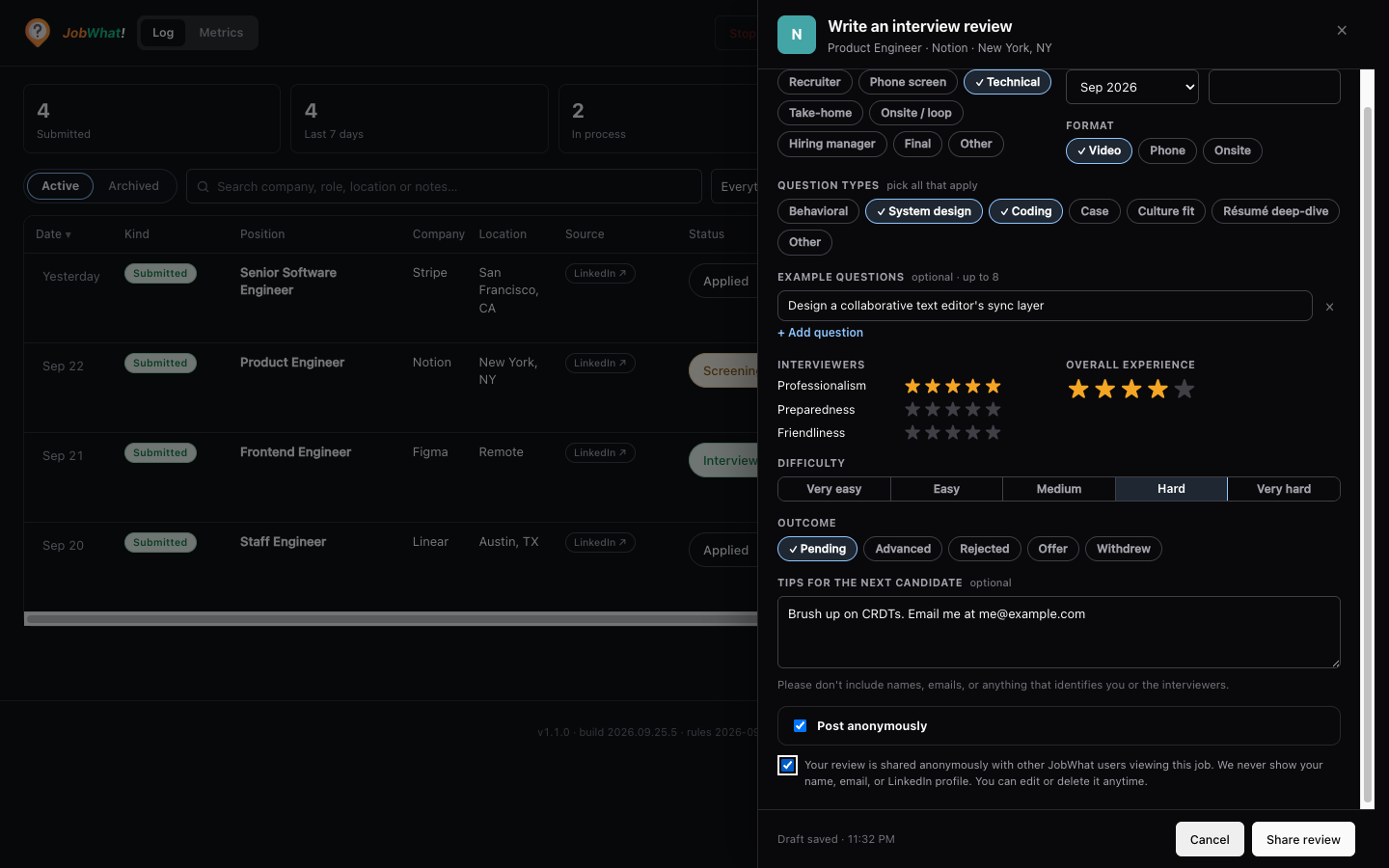
| Field | Required | Notes |
|---|---|---|
| Stage / round | Yes | Recruiter call, Phone screen, Technical, Take-home, Onsite / loop, Hiring manager, Final, Other. |
| Month and Round | Month yes, round optional | Month defaults to this month. |
| Format | Yes | Video, Phone or Onsite. |
| Question types | At least one | Behavioral, System design, Coding, Case, Culture fit, Résumé deep-dive, Other. |
| Example questions | No | Up to 8, 280 characters each. |
| Interviewers | No | Professionalism, preparedness and friendliness, 1–5 stars each. |
| Overall experience | Yes | 1–5 stars. |
| Difficulty | Yes | Very easy to Very hard. |
| Outcome | Yes | Pending, Advanced, Rejected, Offer or Withdrew. |
| Tips for the next candidate | No | Up to 1,000 characters. |
| Post anonymously | — | On by default. Turn it off to show a display name (never your real name or email). |
The first time you share, you confirm a short note about what's shared. Your draft is kept in your browser while you type, so closing the panel, or a failed send, doesn't lose it.
You can write one review per stage for each job. Sending the same stage again updates your earlier review. Edit and Delete appear on your own review in the list.
Who sees what
- Your review stays private until another person shares. Until at least two people have reviewed a job, each person sees only their own review.
- Averages appear from three reviews. The summary shows overall rating, difficulty, top question types, outcomes and interviewer ratings.
- Anyone can write a review, on any plan.
| Free | Pro | |
|---|---|---|
| Write, edit, delete your reviews | ✓ | ✓ |
| Review counts on the log | ✓ | ✓ |
| Summary (averages, outcomes, question types) | ✓ | ✓ |
| Individual reviews | Latest 2 | All, 5 per page |
Reminders
Interviews are easy to forget to write up, so the log can nudge you. When a job's status moves into an interview-like status, a small card appears beside the row or card: Interview coming up? Save the questions afterwards. When it moves out of one, the card reads How did the interview go? Share a review. It doesn't matter whether you change the status from the table dropdown, by dragging a swimlane card, or on a viewed job.
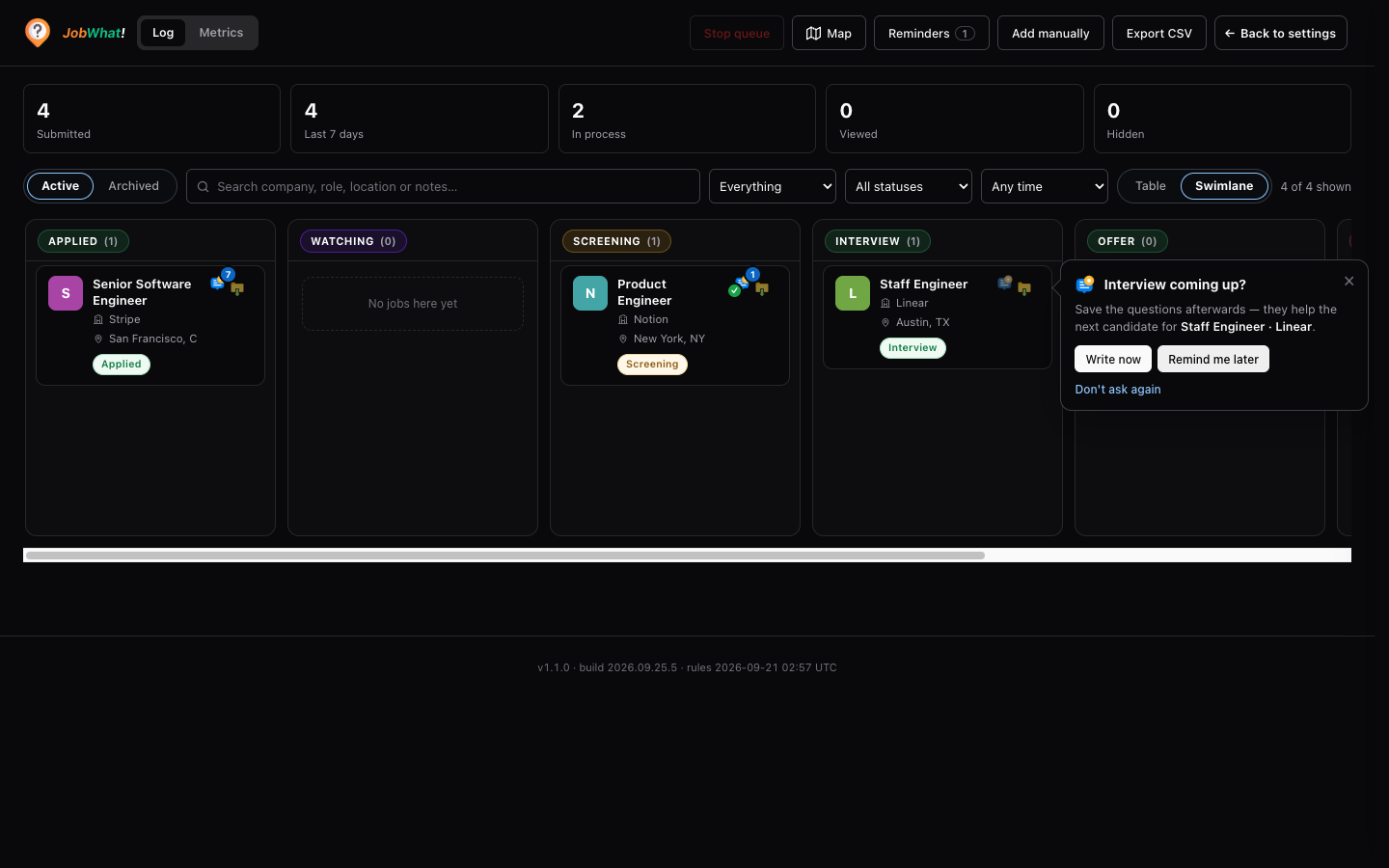
- Write now / Write review opens the form with the stage and outcome filled in from the status.
- Remind me later sets a normal reminder on the job: two days out before an interview, the next day after one. It doesn't replace a reminder you already set on that job.
- Don't ask again turns off Advanced → Interview review reminders.
- × just closes it.
Each job asks at most once going in and once coming out. You aren't asked if you've already reviewed that round, and the card never blocks the log.
Interview-like statuses. Of the default statuses, only Interview counts. Your own custom statuses count when their name reads as an interview round: phone screen, technical, onsite, final or final round, panel, loop, hiring manager, super day, take-home, assessment or round 2 and so on. Screening doesn't count, because it often just means "under review". Anything with offer, rejected, ghosted, withdrew, declined or hired in the name never counts.
Privacy
- Reviews never include your name, email, LinkedIn profile or anything from your jobwhat profile.
- jobwhat identifies your reviews with a random id created in this browser, stored on the server only as a one-way hash, so you can edit and delete them. It's never shown to anyone. On Pro, a hash of your license email is also stored, so you can still edit from another browser.
- Email addresses, phone numbers and links are removed from questions and tips before they're saved.
- Sharing reviews doesn't depend on Advanced → Share anonymous activity with the community map. That setting only covers the map.
Reporting
Every review from someone else has a Report link. Use it for names, contact details, abuse or anything that isn't an interview review. A review is hidden once three different people report it.
Limits and outages
You can send up to 10 reviews per 10 minutes and 20 a day. If the review service is unavailable, the log keeps working: the badges just don't show, the panel says Community data unavailable right now with Try again, and any review you were writing stays as a draft.
Settings
Both are in the popup under Settings → Advanced and are on by default.
| Setting | What it does |
|---|---|
| Show community interview reviews | Shows the Review button and counts on the log. Turn it off to hide them completely. |
| Interview review reminders | Shows the reminder card when a status moves into or out of an interview-like status. |
Turbo-charge your search
A workflow for applying to a lot of jobs fast — queue from LinkedIn in bulk and let the apply queue and AI answers do the rest.
Pay & benefits
See what people were actually offered and paid for a role, compare it with the posted range, and share your own pay anonymously — right from the job log.