
Pricing & free trial
Free trial
Every install gets all of Pro for 14 days, no card required. A job search takes weeks; two of them are on the house. The trial starts the moment you install (usage.trialStartedAt) and isn't reset by an update.
Reinstalling doesn't restart the clock: linkedin.js reads your signed-in LinkedIn member id once, hashes it, and checks it against a server-side record of the first date it was ever seen. The id itself never leaves the page and the hash can't be reversed — see the AI answers page for the same shape of privacy trade-off applied elsewhere.
After the trial
| Free | Pro | |
|---|---|---|
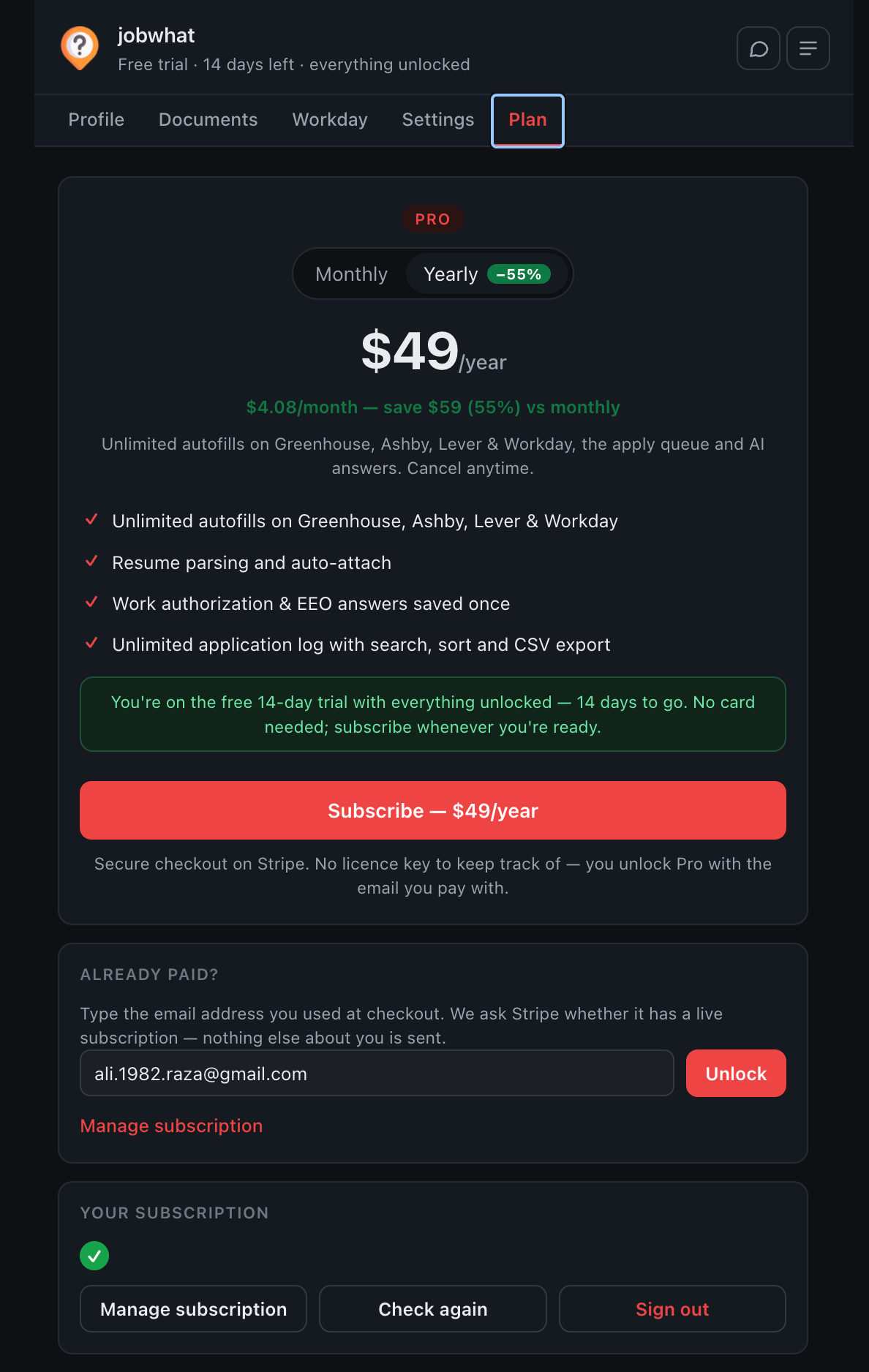
| Price | $0 | $9/month or $49/year |
| Autofills | 5 total | Unlimited |
| Job log, filters, notes, reminders, CSV export | ✓ | ✓ |
| LinkedIn log/hide buttons and colour coding | ✓ | ✓ |
| Resume parsing | ✓ | ✓ |
| Apply queue with auto-submit | — | ✓ |
| AI answers | — | ✓ |
| Work authorization & EEO answers saved once | — | ✓ |
The yearly price saves 55% versus paying monthly — that number is computed from the two prices, so it can't go stale if either changes.
How Pro is unlocked
There are no licence keys. You type the email you paid with, and jobwhat asks one endpoint whether Stripe has a live subscription for it. A signed token (valid 30 days) lets it silently re-check without resending your email every time.
| Server says | Extension does |
|---|---|
| Subscription active | Refreshes the token and expiry, stays Pro |
| Subscription not active | Downgrades immediately — you cancelled |
| Outage / timeout / error | Keeps Pro for 14 days past the last good check, then pauses |
That grace period exists so a bad day on jobwhat's server can't cost a paying customer their Pro access, and so nobody is cut off the instant their renewal date ticks over while a recheck is pending.
Be clear-eyed about what this buys: a client-side check in a browser extension is bypassable by anyone willing to open devtools. It's a speed bump honest customers respect, not DRM — which is also the reasoning behind email-based unlock instead of a licence key: a stronger key wouldn't buy real protection, so there's no reason to make you keep track of one.
Managing or cancelling
Settings → Plan tab → Manage subscription opens Stripe's billing portal directly. No account to log into first — Pro is tied to the email you paid with.