

AI Resume Score
Resume Score compares a compact brief of your profile/resume to the open job description and returns a 0–100 match. It shows a dial next to the queue button, an optional banner under the job header, and a full breakdown when you click through.
It needs Use AI models turned on (same consent as AI answers), and it's available on Pro and during the free trial. Turn the dial itself on or off with Settings → Show Resume Score next to the queue button.
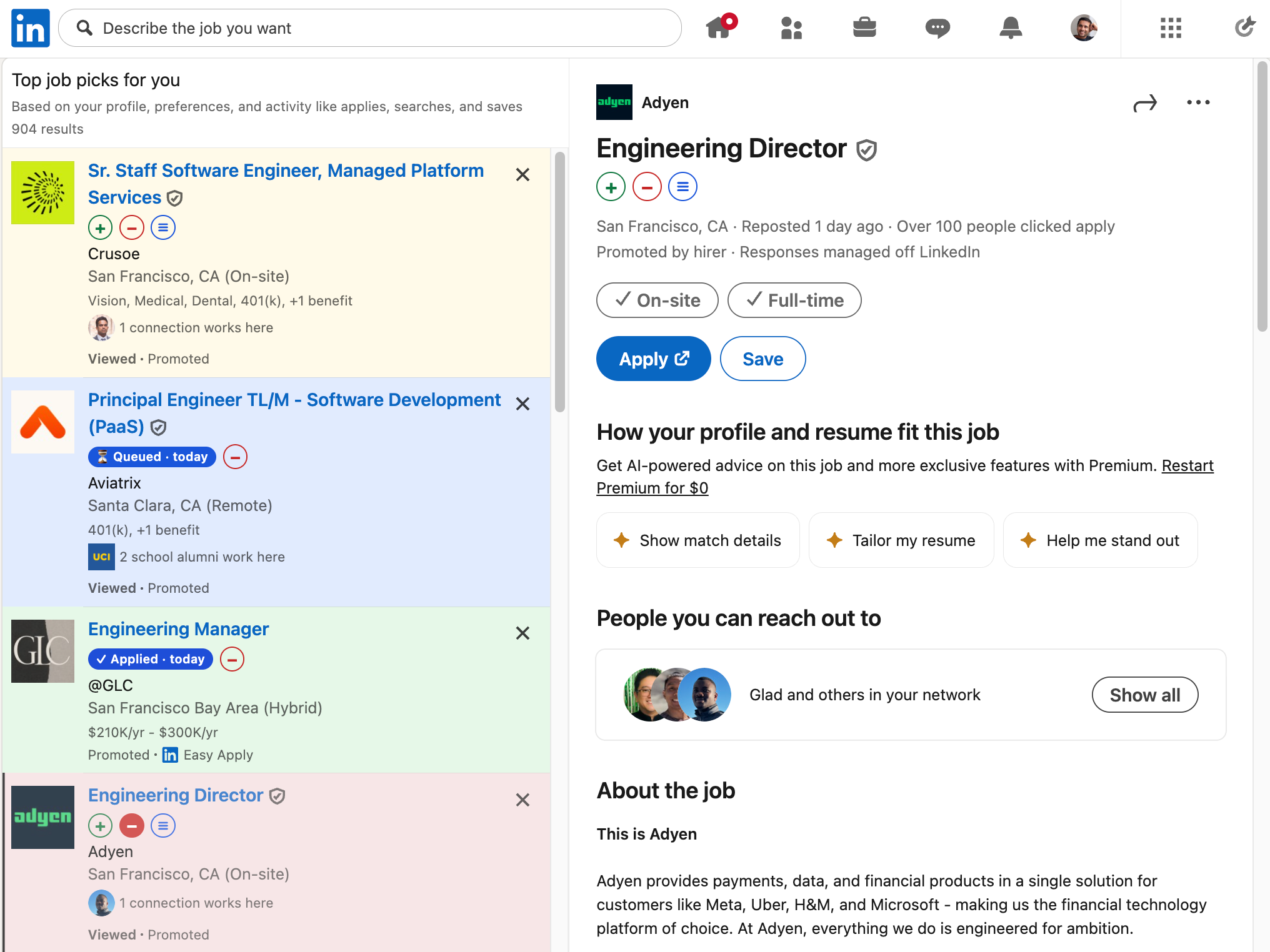
Where it appears
| Surface | What you see |
|---|---|
| LinkedIn job list | Small score dial next to ≡ (scores load lazily as cards enter view) |
| LinkedIn detail pane / ATS pages | Larger dial, plus a match banner under the job header (dismissible per job) |
| Click the dial or the banner's Recommendation analysis CTA | Popover with the full analysis |
While a score is building, the dial spins and the banner shows a “checking resume match” state. Scores are cached locally so revisiting the same posting doesn't re-hit the server every time. Changing the answer model in Settings clears that cache.
The analysis
The popover is one composition:
- Score dial — 0–100 with a label (Strong / Good / Partial / Weak / Poor match). Green from about 70 up, yellow in the middle, red below ~40.
- Position analysis — how your recent track lines up with the role (aligned / stretch / mismatch), with a short write-up.
- Skills & phrases — per-skill scores against what the posting asks for, each with a short why.
- Recommendation analysis — concrete resume updates for this role (company / role / bullets). Copy bullets puts them on the clipboard so you can paste into your own resume editor. jobwhat does not rewrite or upload your resume file for you.
If the posting is a clearly different discipline from your recent work, recommendation analysis may skip inventing bullets and say so.
Exactly what gets sent
Resume Score uses the same AI path as answers: your browser posts to jobwhat's server, which calls the model you picked in Settings (default Gemini 2.5 Flash Lite).
| Sent | Never sent as raw files |
|---|---|
| A resume brief built from your profile / Workday history / custom Q&A (not the PDF/DOCX bytes) | Your resume or cover letter files |
| Job title, company, and scraped job description text | Your full job log |
| Profile fields needed for context | Passwords |
Nothing from the score response is stored on jobwhat's server as a permanent record of you — same shape as AI answers. Switch Resume Score off in Settings if you only want AI for form leftovers.
Turning it on or off
- Turn on Use AI models for unknown questions (consent dialog the first time).
- Leave Show Resume Score next to the queue button on (default), or switch it off if you only want AI for autofill leftovers.
- Optionally pick a different answer model under AI answers — that model is shared by long-form answers and Resume Score.
See Settings reference and LinkedIn integration.