LinkedIn integration
jobwhat only reads LinkedIn's job search pages — it doesn't fill LinkedIn's own Easy Apply forms. What it adds is three small buttons on every job card, and colour coding that follows your log across every search.
The one-minute tour
The first time you visit LinkedIn's job results after setup, or from the popup's setup checklist (LinkedIn buttons → Show me), a short tour walks through each control directly on a real results page.
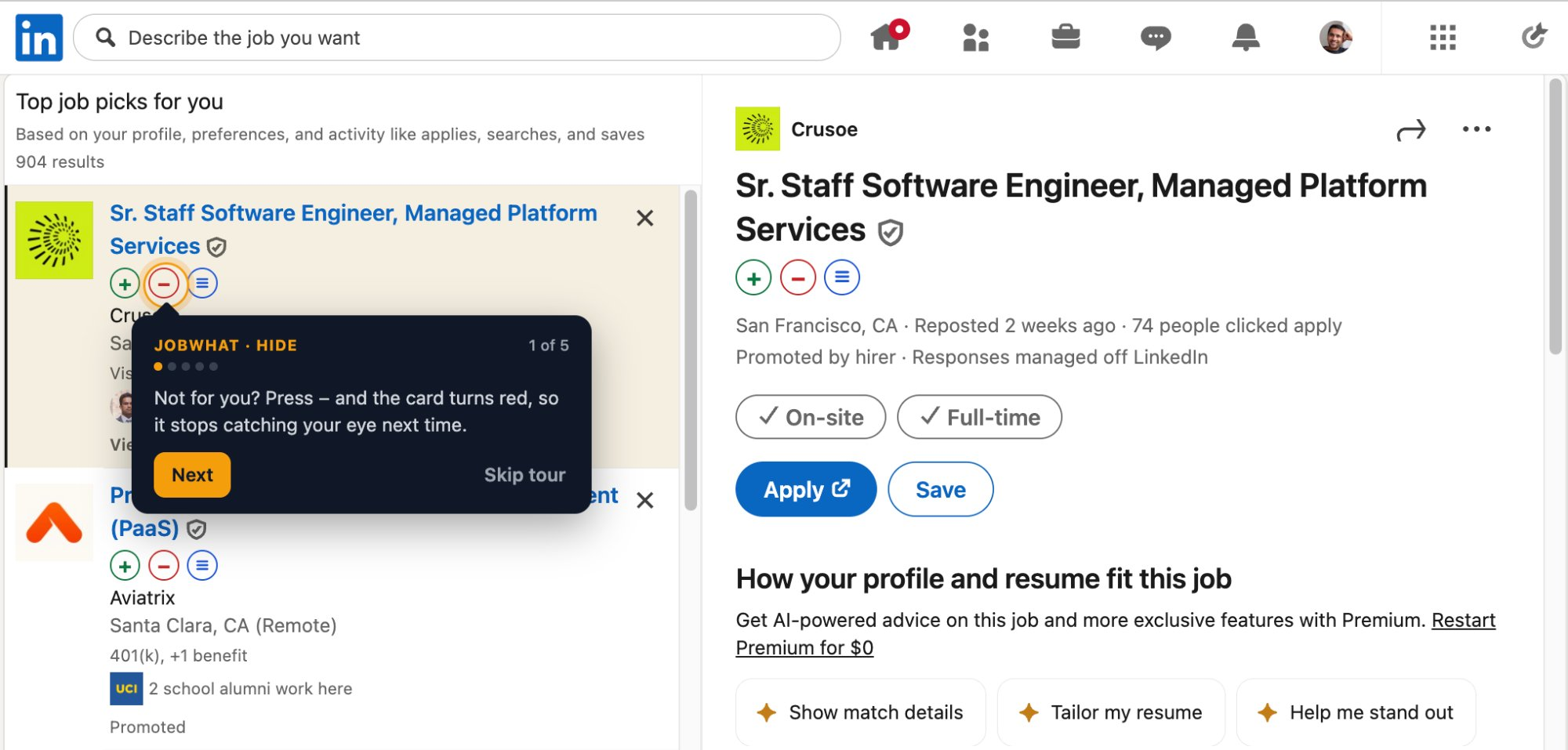
The three buttons
| Button | Does | Result |
|---|---|---|
| + (Log) | Files the role, company, location and link into your log without leaving the results | The button turns into a chip |
| − (Hide) | Greys the card out and keeps it grey next time | Press again (↺ Unhide) to bring it back |
| ≡ (Queue) | Adds the job to the apply queue | jobwhat opens the posting in a background tab, fills it and submits |
Colour coding
Cards paint themselves as you go, and one rule decides which colour wins when more than one applies: grey (applied or hidden) beats yellow (viewed) beats nothing.
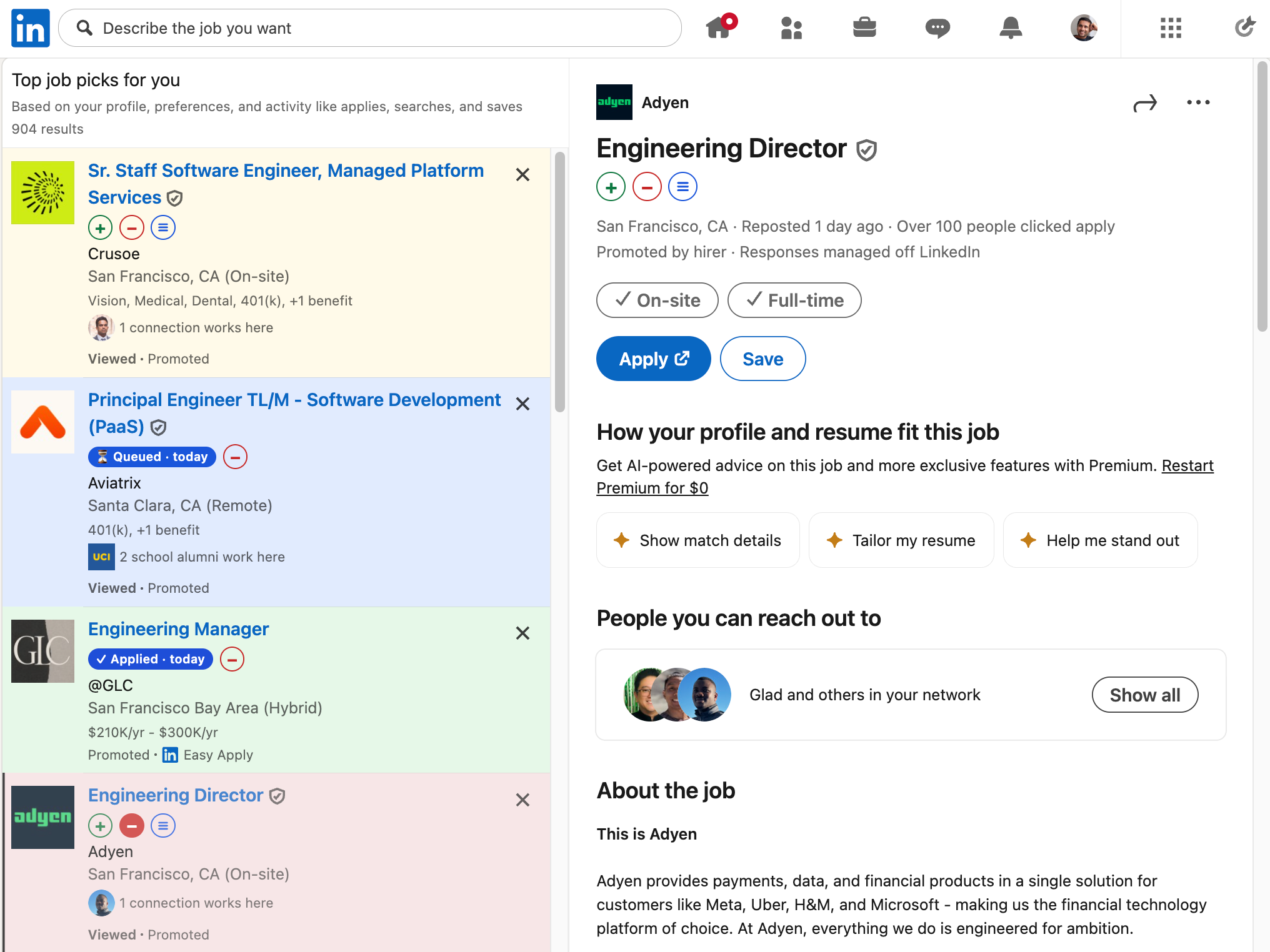
- Green chip — already applied, reading
✓ Applied · 3d ago, or your current stage (✓ Interview · 20d ago) once you move the row along in the job log. - Yellow tint — you've opened this job (clicked the card, or had it in the detail pane), but not applied.
- Red tint — hidden.
- Blue chip — queued.
Matching between LinkedIn's listing and your log is by company + title: company names are normalised (Capital One, Inc. → capital one) and titles match on exact/containment or 70% token overlap after stripping seniority words, so LinkedIn's wording and the board's don't have to agree exactly.
Hovering any tinted card restores full opacity, so you can still read it.
Settings
Each button and each colour has its own toggle in Settings, plus per-list resets (30-day auto-reset or reset-all) for Applied, Viewed and Hidden. See Settings reference.
Known limits
- Jobs you applied to before installing jobwhat won't show a chip until you add them to the log by hand.
- Hiding a job is jobwhat's own greying, not LinkedIn's "don't show me this again" — it changes nothing in your LinkedIn account.
- Jobs are keyed by LinkedIn's own job id where there is one, and by company + title otherwise, so the same posting listed under two different ids can occasionally be marked twice.